Skip to content

Platform

One platform for the whole job.

From the first customer record to financial reporting, Arkellium keeps every part of the operation connected.

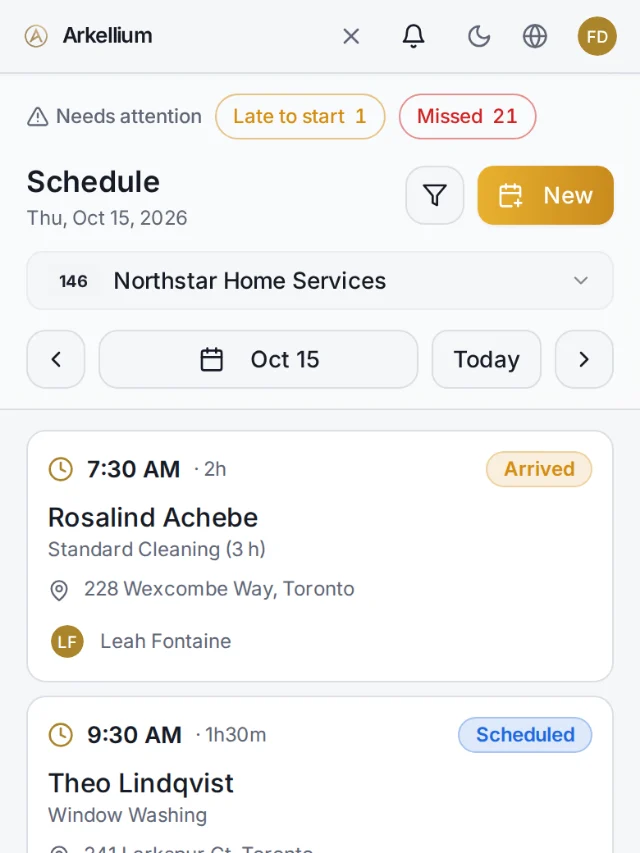
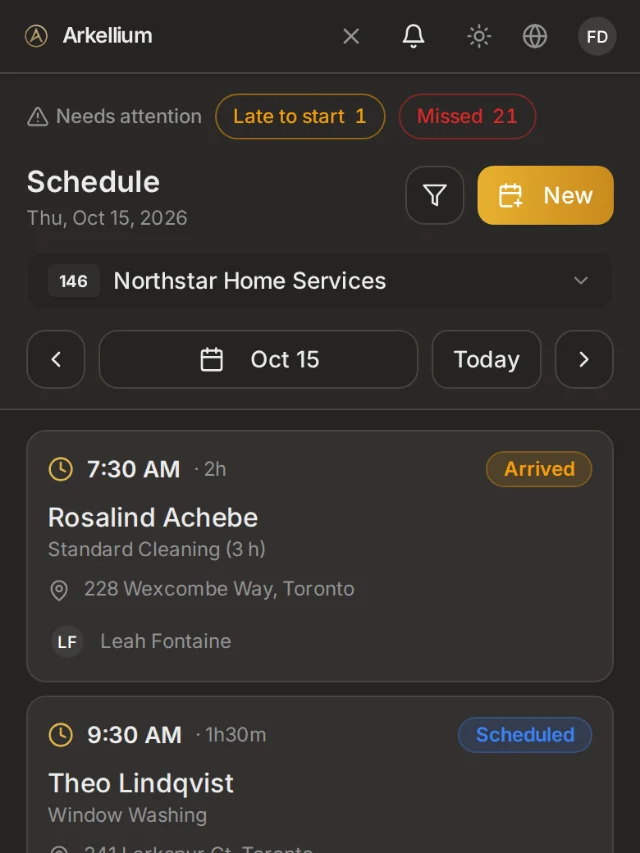
Arkellium schedule: jobs by day with status and assigned operator.Arkellium schedule: jobs by day with status and assigned operator.

From customer to finance

  1. 01Customer
  2. 02Estimate
  3. 03Contract
  4. 04Schedule
  5. 05Job
  6. 06Invoice
  7. 07Payment
  8. 08Finance

Platform architecture

Four domains. One operational record.

Operations, revenue and finance run on the same records. Control applies across all of them.

  1. 01

    Operations

    Run the day.

    Schedule · Jobs · Field execution · Team assignments
    OperationsOperations
  2. 02

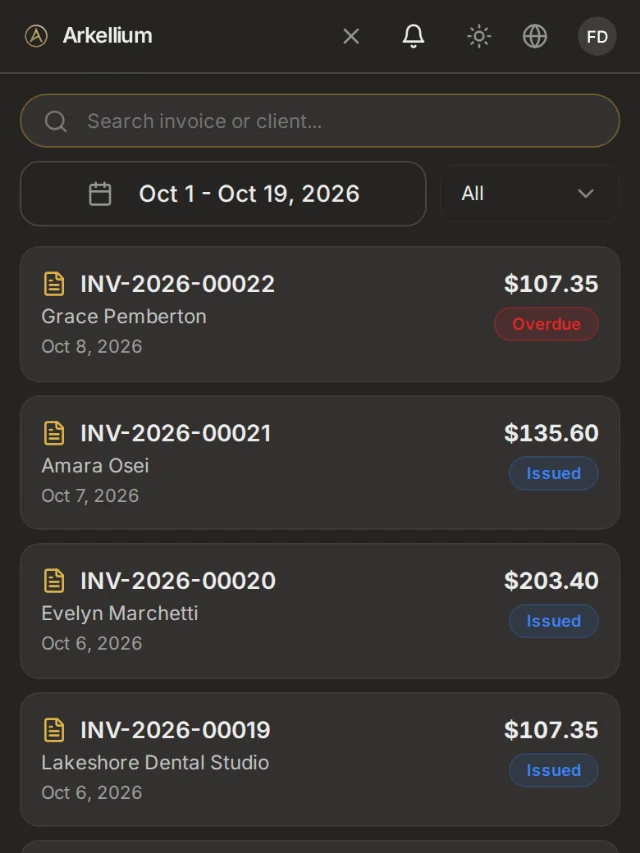
    Revenue

    Turn work into revenue.

    Estimates · Contracts · Invoices · Payments
    RevenueRevenue
  3. 03

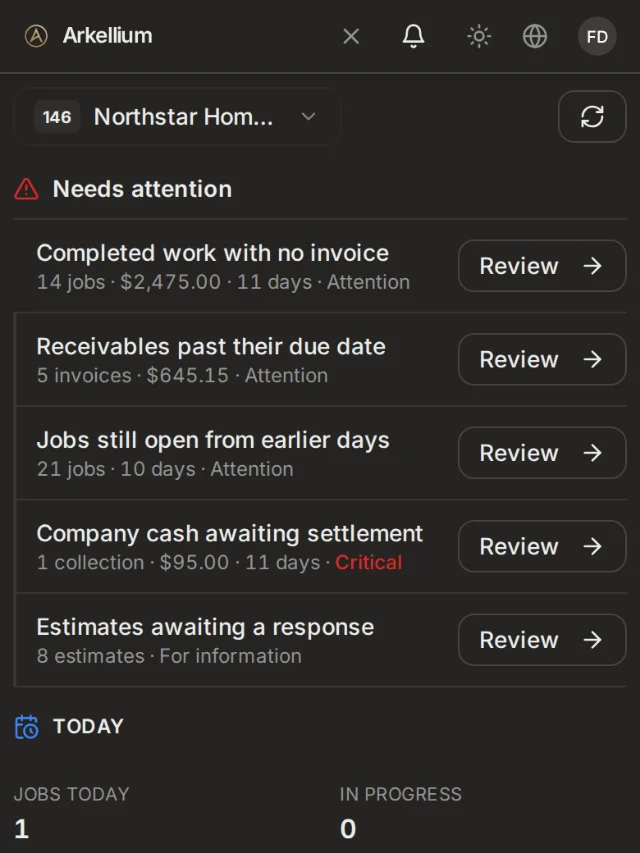
    Finance

    Know the numbers.

    Business Pulse · Expenses · Reports · Financial visibility
    FinanceFinance
  4. 04

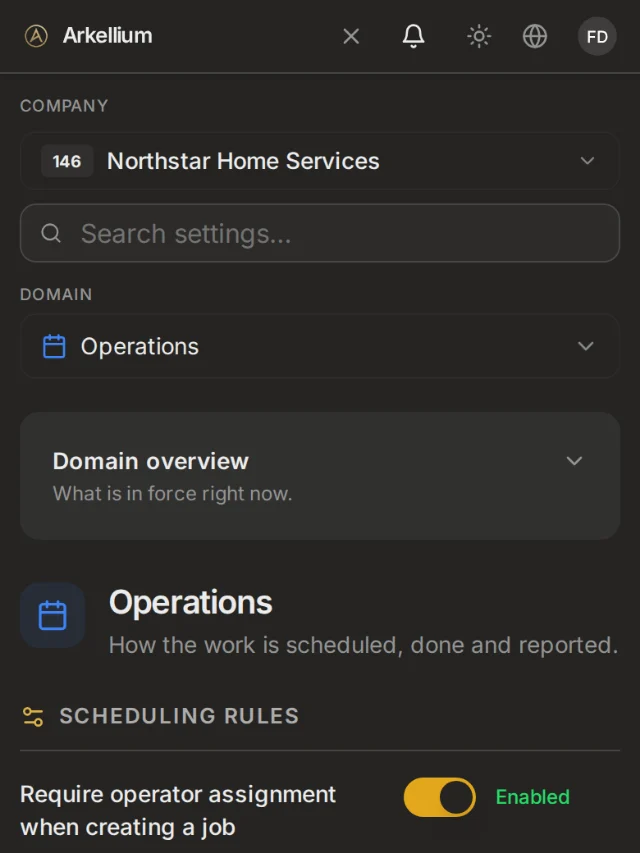
    Control

    Run the business your way.

    Business Rules · Roles · Permissions · Audit
    ControlControl
IntelligenceEarly access

Arkellium AI (early access) · Needs-attention signals in Business Pulse · Automation: on the roadmap

Not generally available yet. Listed so you can see where the platform is heading.

See the real thing.

Screens from the current Arkellium app, shown with a fictitious demo company.

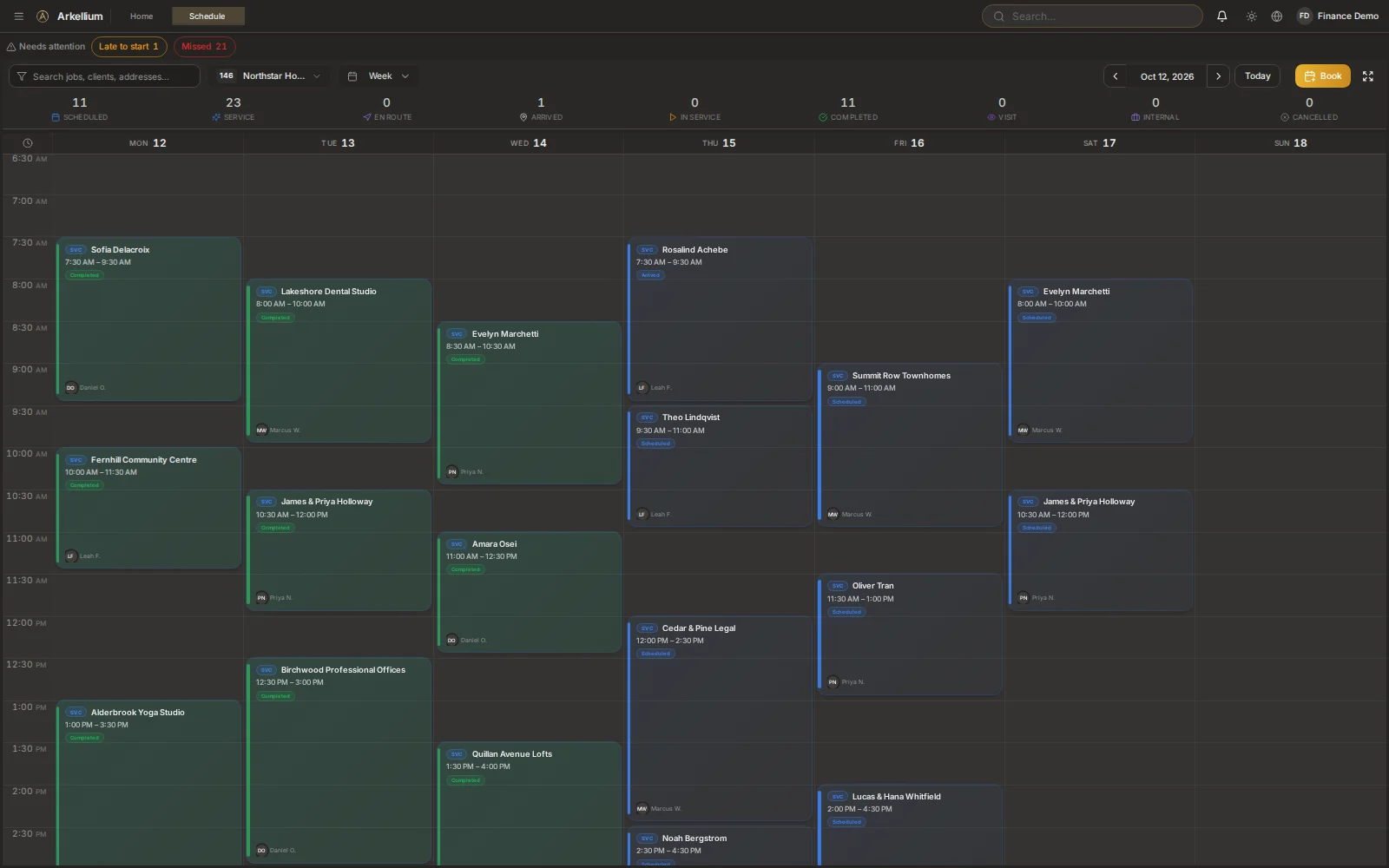
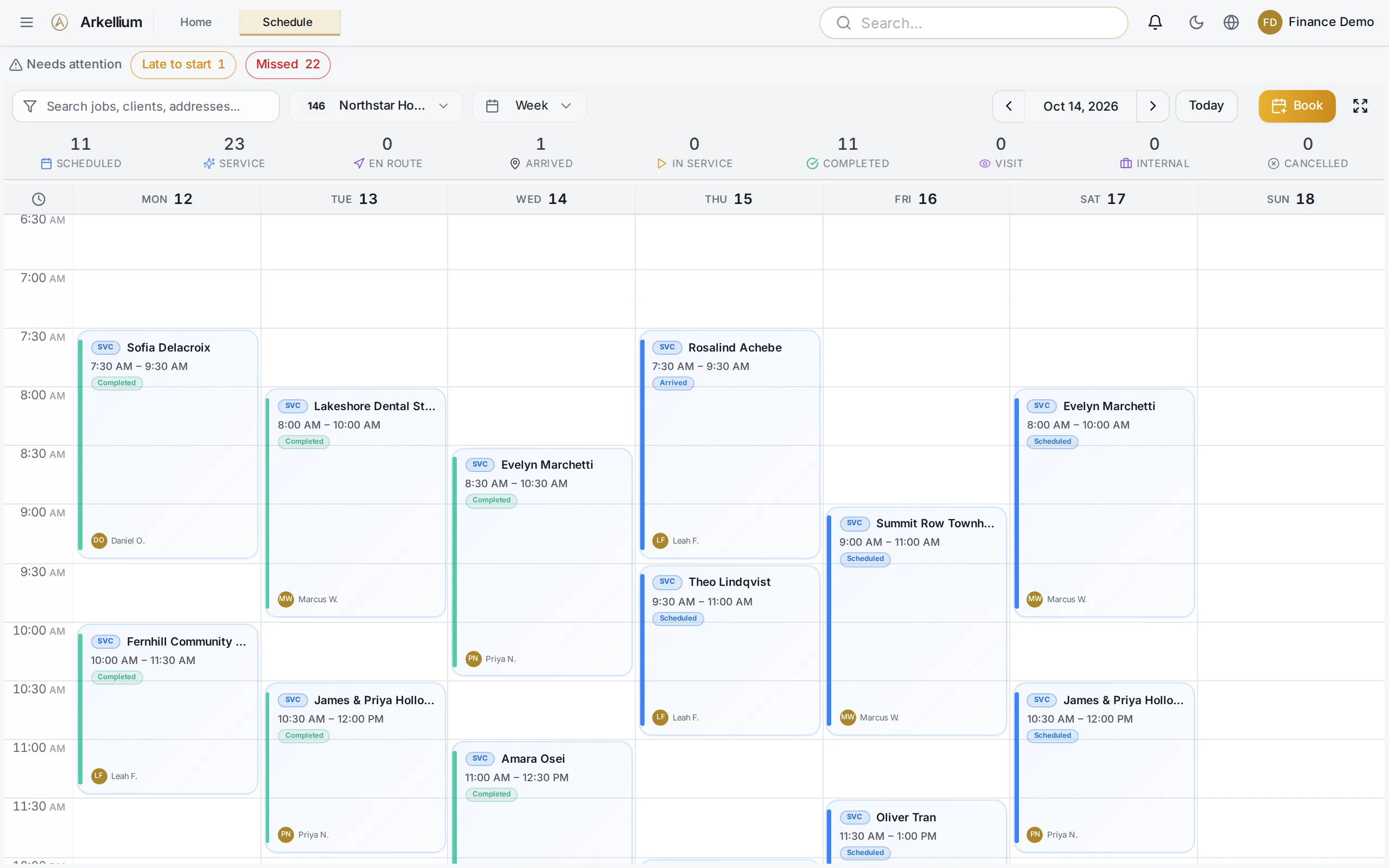
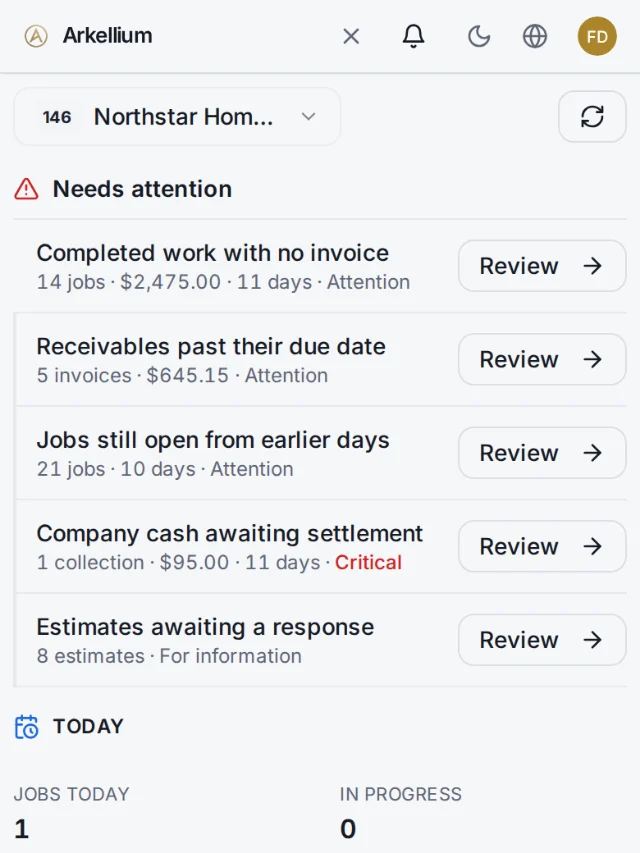
Arkellium schedule: a weekly board of jobs by day, with status colours and the assigned operator on each card.Arkellium schedule: a weekly board of jobs by day, with status colours and the assigned operator on each card.

Demo company with fictitious data.

Operations

Plan the day. Close every job properly.

Customers, schedule and field work share one record, so the office and the crew see the same thing.

Customers
Client 360 with history, properties and documents.
Schedule
A live schedule by day, crew and status, with operator suggestions and a route map.
Jobs
Completion rules, checklists and before/after photos.
Field execution
A mobile view for crews to start, update and complete jobs.
Teams
Assign the right people and see who is responsible.
OperationsOperations

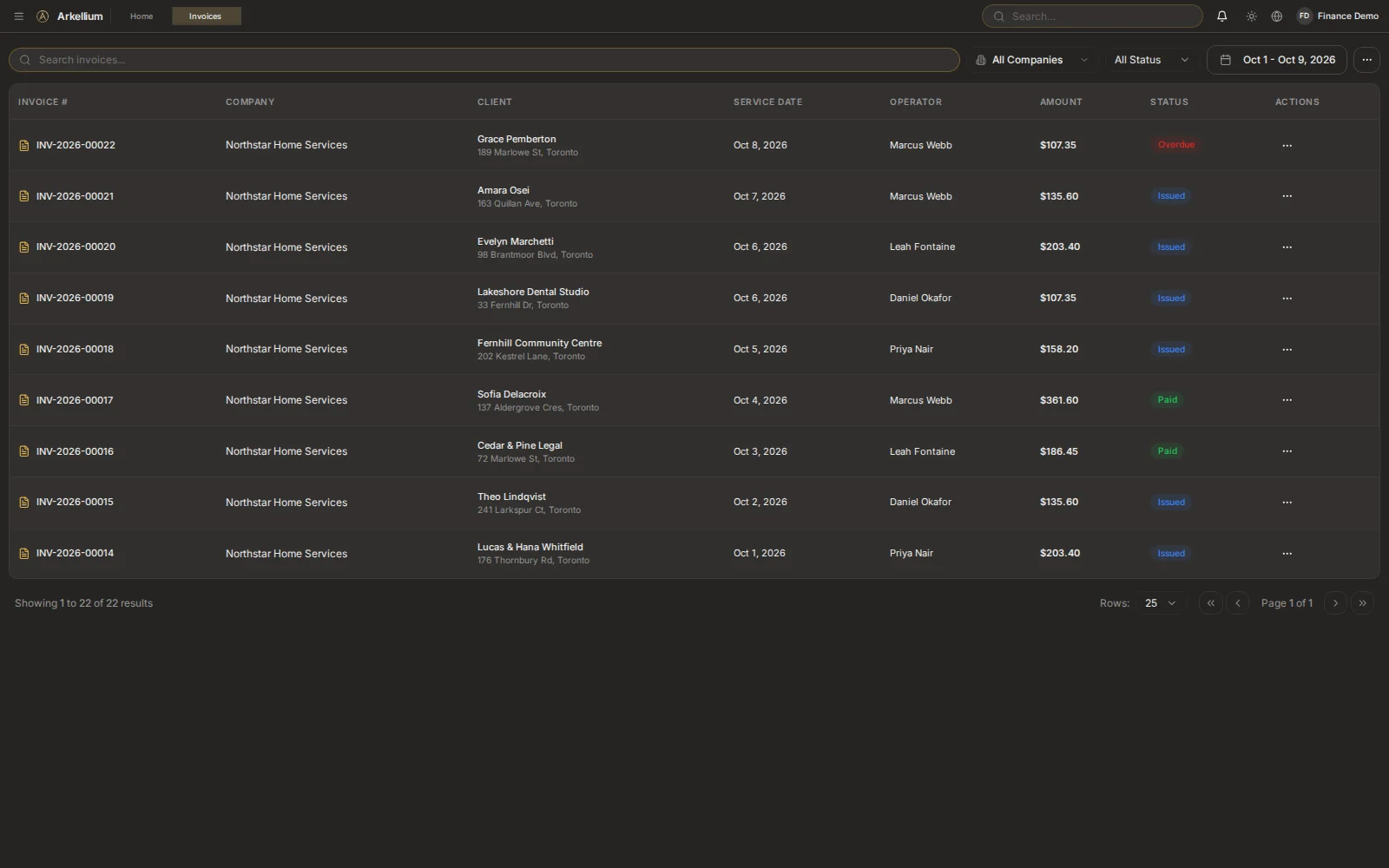
Revenue

From the estimate to the money in.

Quote, sign, bill and collect from the same job, with configured tax rules applied consistently.
Estimates
Priced from your service catalog, with online client approval.
Contracts
Online signature and clauses at company, client and contract level.
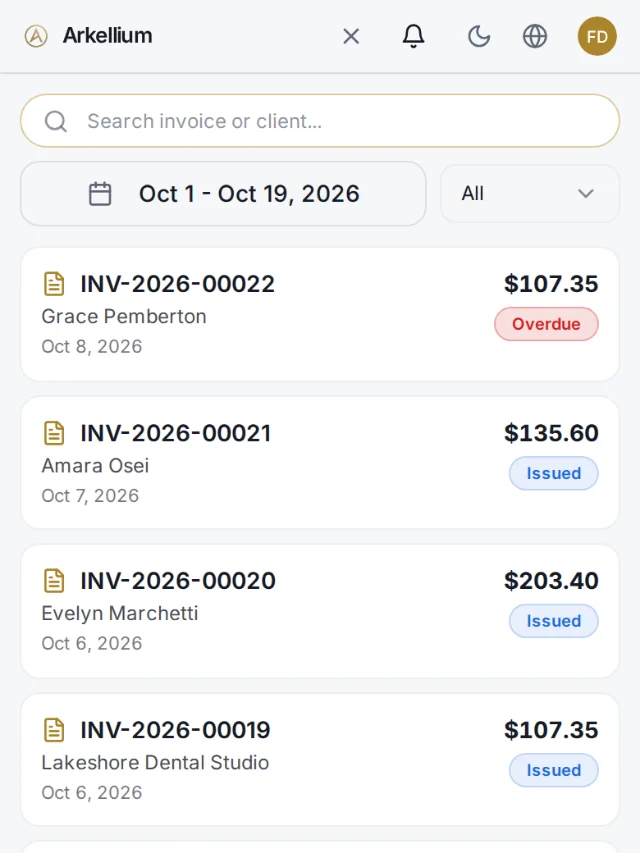
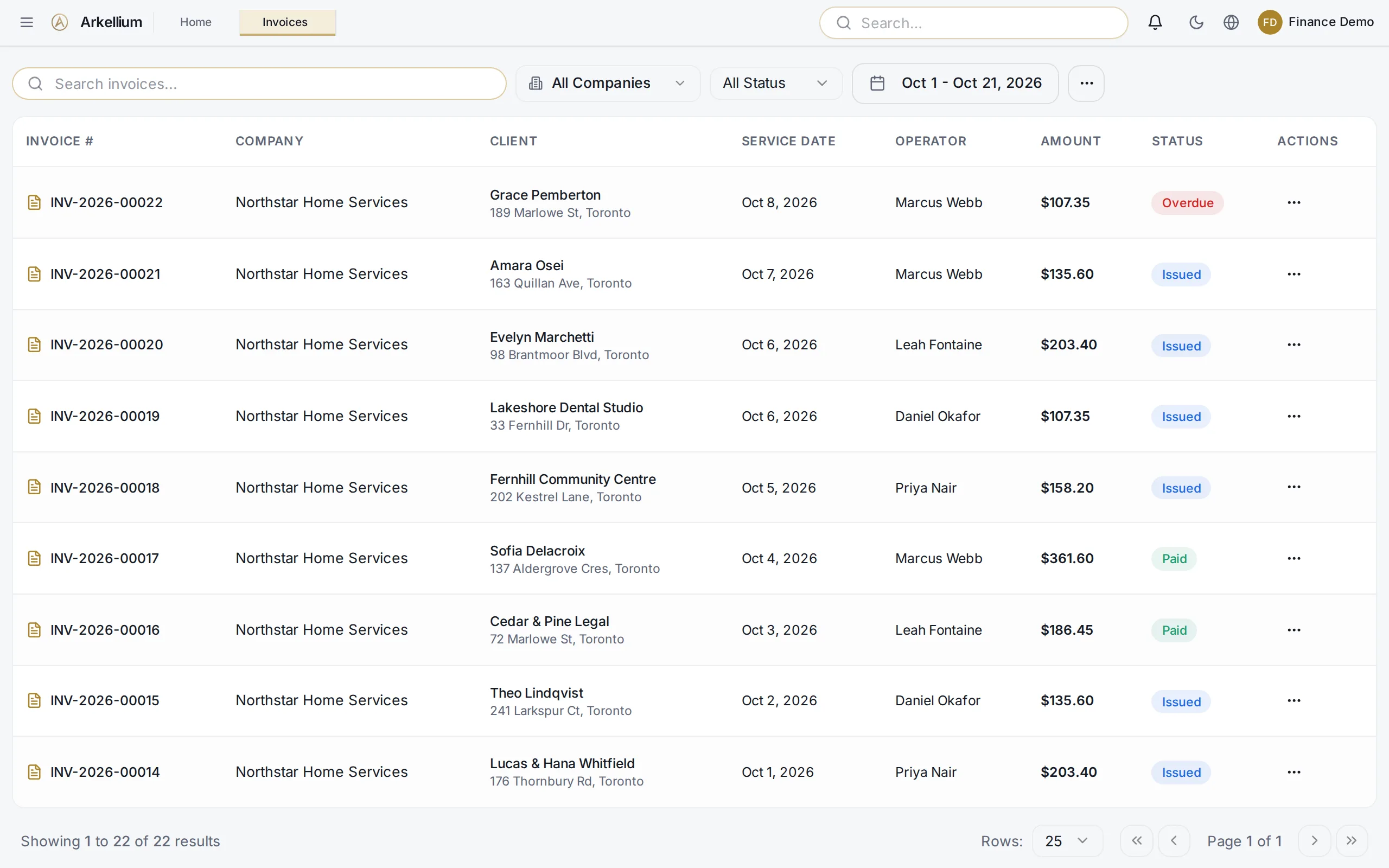
Invoices
Created from completed work, with tax rates frozen when issued.
Payments
Recorded by method, with a receipt by email or PDF.
Receivables
Overdue tracking and reminders, per client.
RevenueRevenue

Finance

See the numbers while the work is happening.

Costs, billing and cash sit next to the work, so you know what was billed, paid and still waiting.
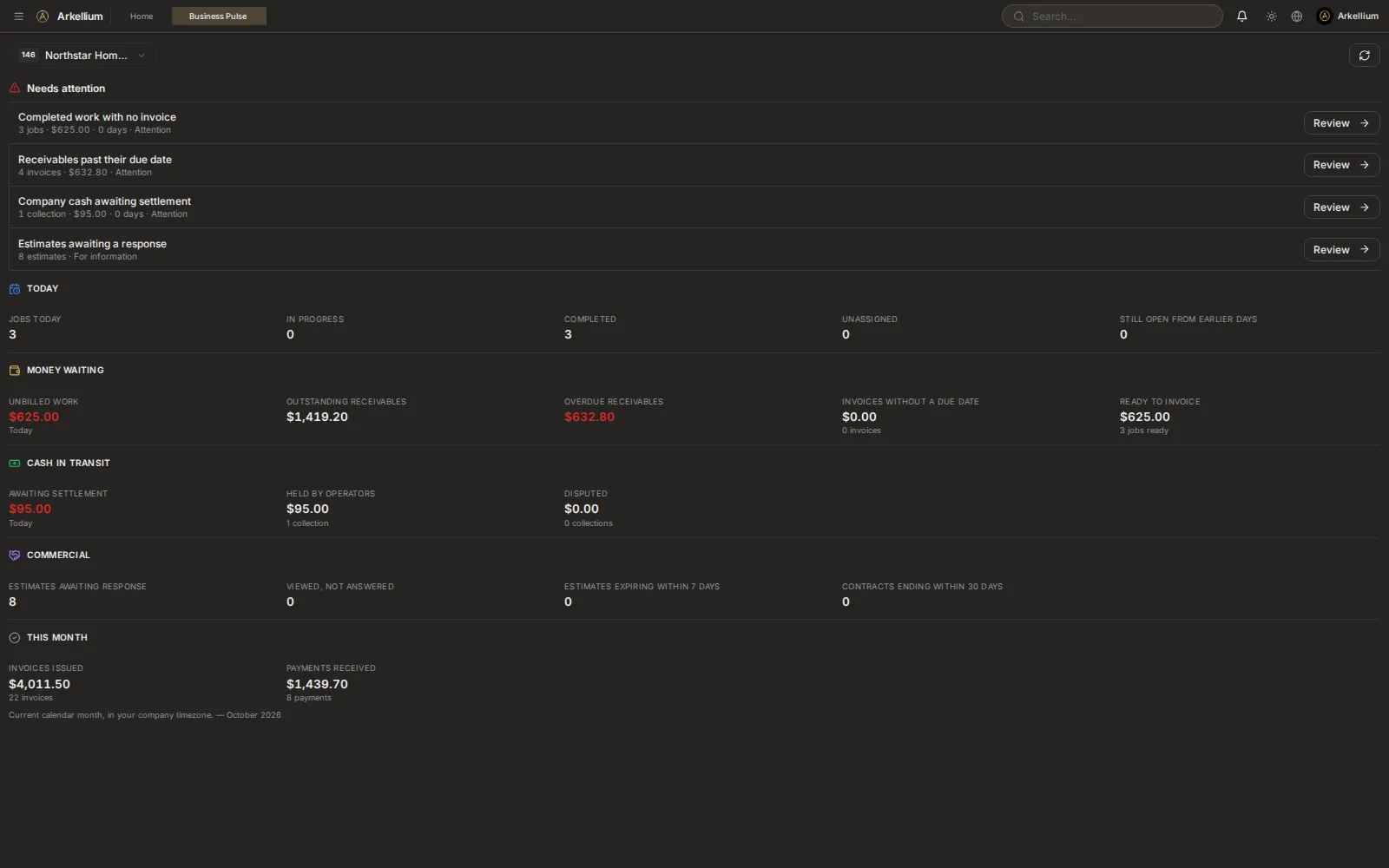
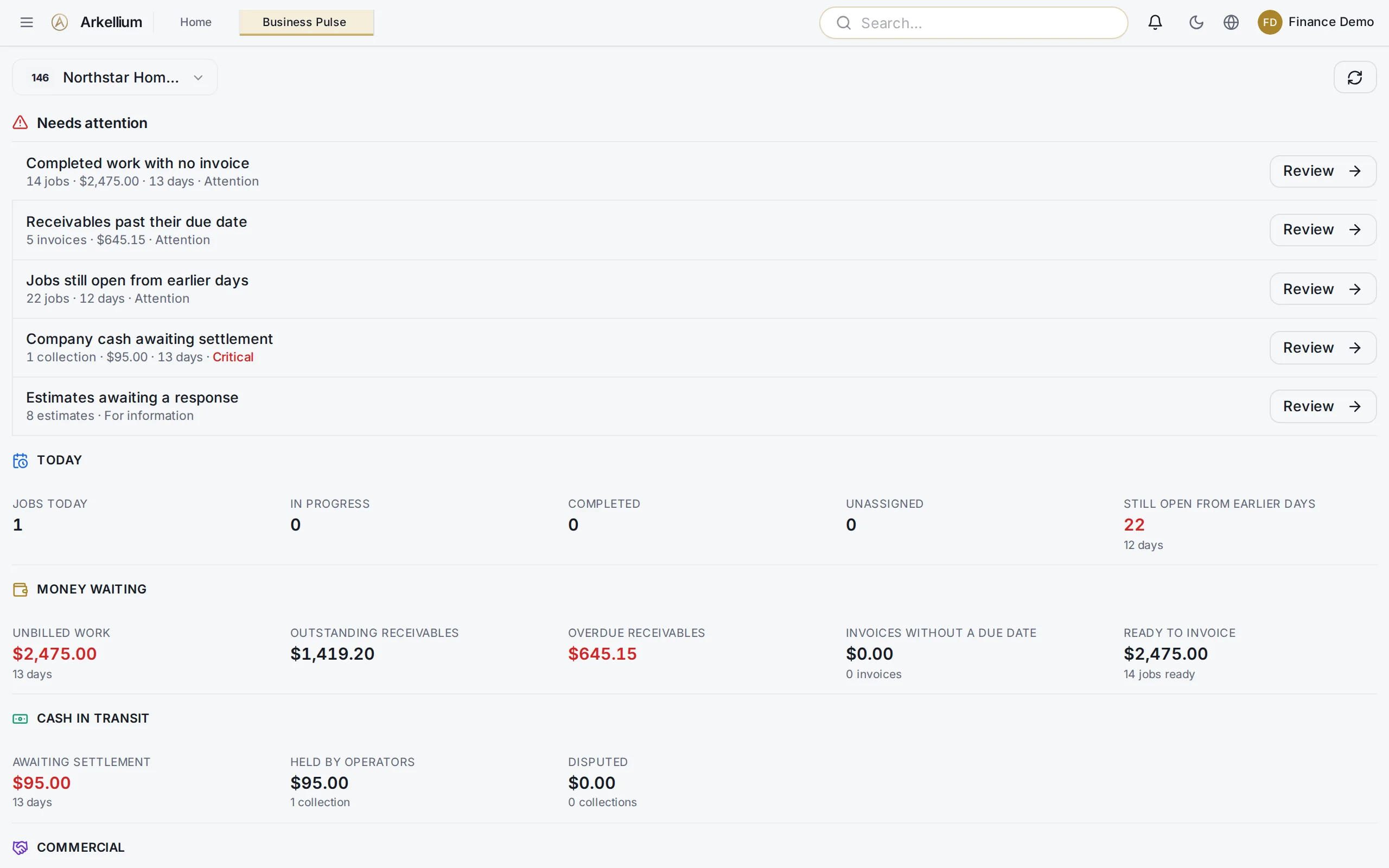
Business Pulse
What needs attention today: receivables, unbilled work and cash.
Reports
A financial activity report with gross, tax and net, and custom dashboards.
Expenses
Categories and vendors next to revenue.
Payroll
Payroll from completed work (pilot).
Early access and beta
Arkellium AI (early access) and QuickBooks Online sync (beta).
FinanceFinance

Control

Your rules, applied everywhere.

Set how the business operates once. Roles, permissions and company boundaries keep it consistent.
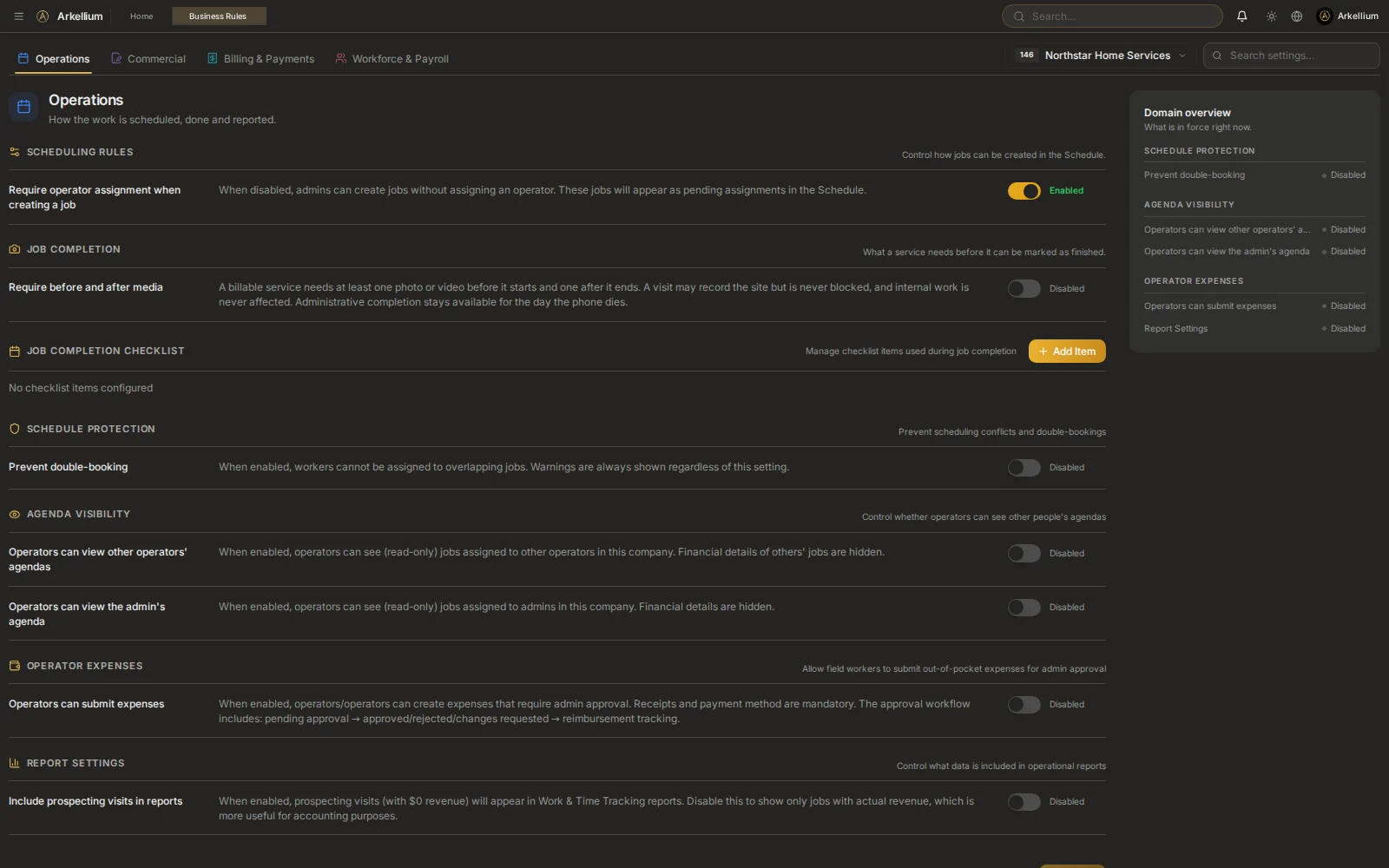
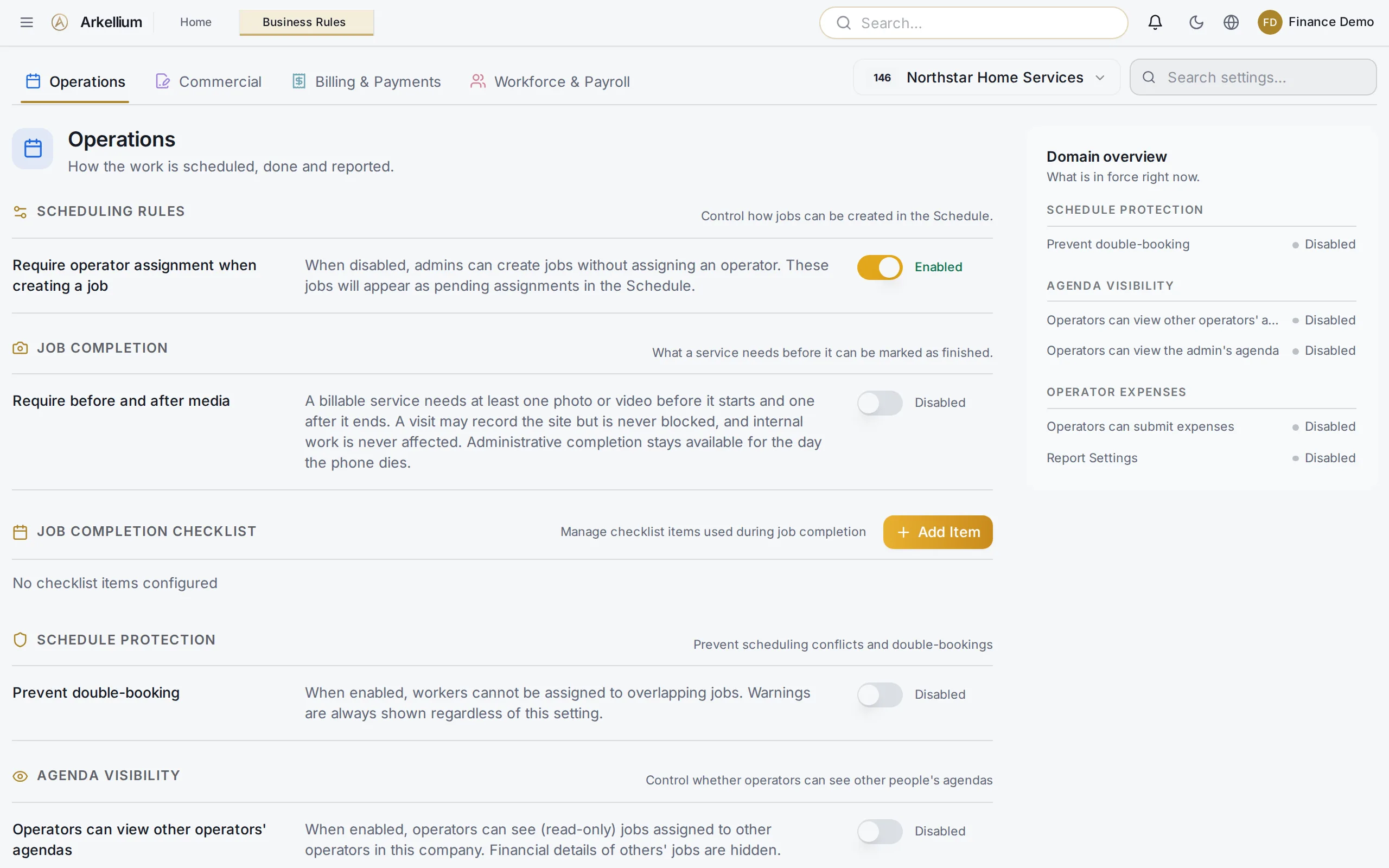
Business Rules
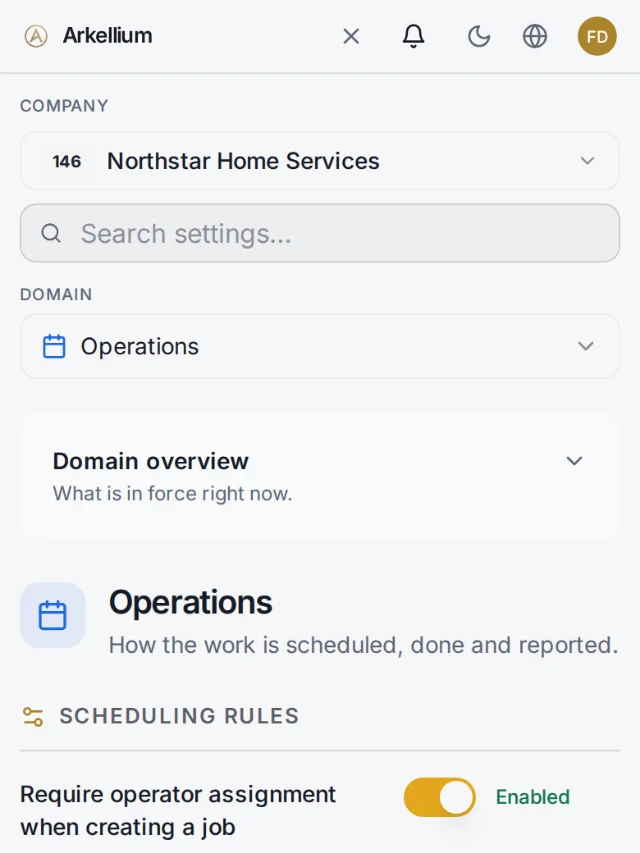
Scheduling, pricing, payment, tax and completion requirements.
Roles
Role-based access for each person.
Permissions
Per-user permissions that refine each role.
Audit trail
An activity log of important actions.
Companies
Company boundaries, and multiple companies under one identity (beta).
ControlControl

On our roadmap

Not available yet. Listed so you know where we are heading.

Online card payments · Supplier bills and payables · Two-factor sign-in

See how your business runs on Arkellium.

We are onboarding a small group of Canadian service businesses. No payment, no commitment.

Request early access